

WELCOME TO
WH-CONSULT CANADA
Wireless, Wi-Fi, RF and 5G Training and Consulting
Founded in 2009, WH-CONSULT CANADA is an Ottawa-based wireless networking training and consulting firm. We help organizations strengthen their technical capabilities and deliver successful projects through customized professional training, large-scale wireless solutions, and experienced project management.
Professional Training Services
5-day training event
6100-3010
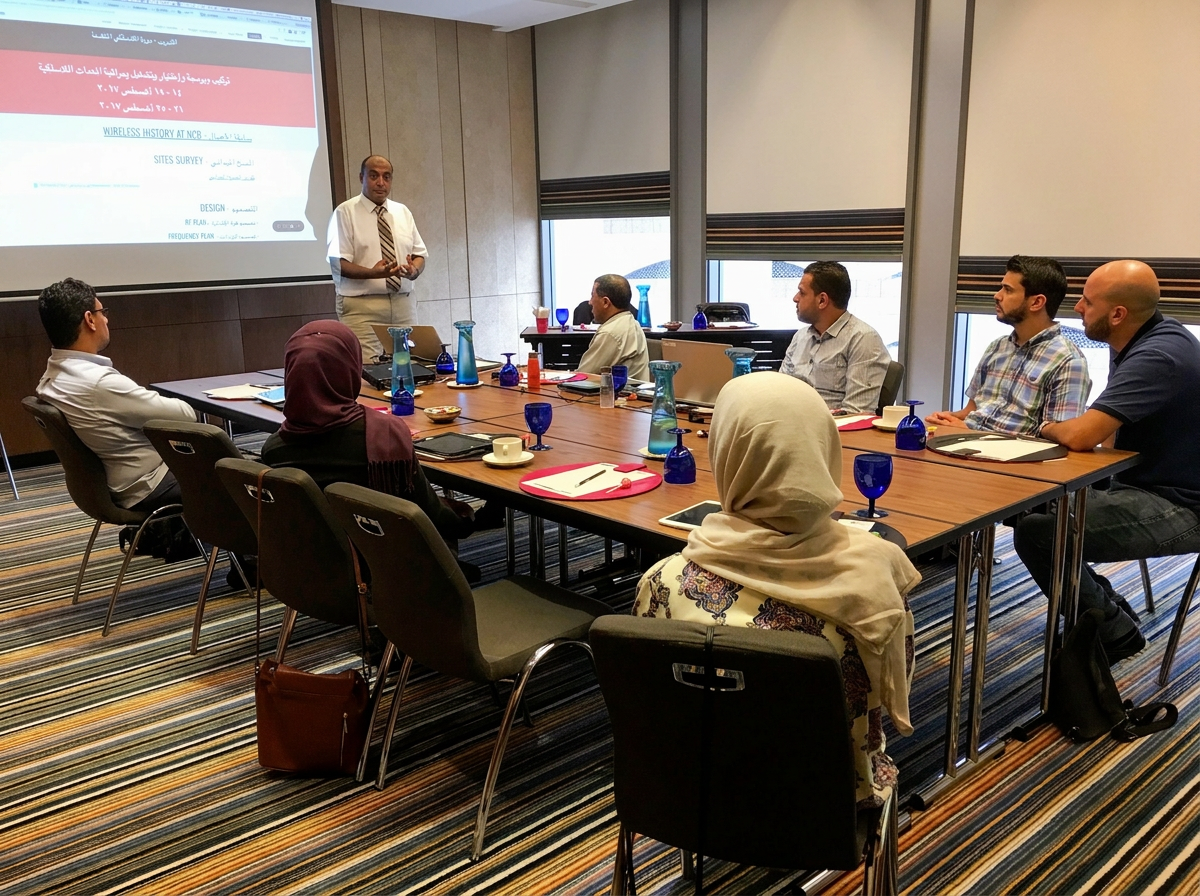
This intensive 5-day program builds a solid foundation in radio frequency (RF) theory and wireless network fundamentals for engineers, technicians, and IT professionals entering or advancing in the wireless field.
Participants will learn core RF concepts — propagation, antennas, link budgets, modulation, and spectrum management — alongside practical, hands-on exposure to real-world wireless technologies including Wi-Fi, cellular, and fixed wireless systems.
By the end of the course, attendees will have the technical knowledge and confidence to plan, design, and troubleshoot wireless networks, setting the stage for more advanced, technology-specific training.
Course Outlines
Basic Radio and RF Concepts
RF Energy
RF Generation, Transmission, and Reception
Oscillators and Power Amplifiers
dB and dBm power conversions
Digital Modulation of RF Signals
Amplitude, Frequency Modulation, QAM & QPSK
Filtering
Equalizers
Multiple Access Techniques
TDMA, FDMA, CDMA
OFDM, W-OFDM, SOFDMA
Duplexing, TDD vs. FDD
Channel Coding
Spread-Spectrum Modulation
RF Propagation Principles
Path / Propagation Losses
Fading
Fade Margin and Fresnel Zone
Link Budgets
Receiver Sensitivity
Noise Figure
Guard Band
BER vs. Noise
Link Budget and High-Level System Design
Sample Link Budget Calculations
Antennas
Antennas Basics
Effective Radiated Power (ERP)
Directivity and Gain Antenna Types
Antenna Radiation Patterns
Polarization
Diversity Antenna Systems
MIMO Antenna Systems
System Planning
Wireless Topologies: PTP and PMP
LOS, NrLOS, NLOS
Licensed & Unlicensed Frequency Bands
Frequency Planning
Frequency Reuse
RF Site Survey
RF Site Survey Tool

5-day training event
6100-3016
5G technologies represent a paradigm shift in mobile communications, combining advanced radio access techniques, cloud-native core architecture, and a suite of flexible protocols to deliver ultra-low latency, enhanced mobile broadband, massive machine-type communications, and network slicing for customized service profiles. The radio side uses millimetre-wave bands, massive MIMO, beamforming, and carrier aggregation to increase capacity and spectral efficiency, while the disaggregated RAN (including open interfaces like O-RAN) enables virtualization and interoperable multi-vendor deployments. The 5G core adopts a service-based architecture (SBA) built on cloud-native principles—microservices, containerization, and orchestration with NFV and MEC—to provide scalable, resilient control and user plane functions; key protocols include NGAP and SCTP between RAN and core, HTTP/2 and RESTful APIs for service-based interfaces, N1/N2/N3 for signalling paths, and UPF-managed GTP-U or user plane encapsulation for data forwarding. Together, these technologies and protocols enable programmable, policy-driven networks that support new enterprise and IoT use cases while improving throughput, reliability, and operational agility.
Course Outlines
5G Overview
Why 5G
5G Requirements
How do we fulfill 5G Requirements
5G Timeline
3GPP Timelines
5G Architecture - SA and NSA
Introduction to 5G Architecture
5G Deployment Options: Stand Alone (SA) Architecture vs Non-Stand Alone (NSA) Architecture
5G Enabling Technologies
Introduction to Enabling Technologies
Massive MIMO & Antennas
3D Beam-Forming
Virtualization in 5G
Cloud-Native in 5G
Containers in 5G
Microservices in 5G
Automation and Orchestration in 5G
5G Network Architecture
Next Generation NodeB (gNB) functions in NG-RAN
Packet Data Unit (PDU Session)
What is meant by Control Plane and User Plane separation
5G NR Air Interface
Channel Bandwidth
NR - Absolute Radio Frequency Channel Number (NR-ARFCN)
Difference between Global and Channel Raster
Resource Grid in 5G NR Air Interface
5G NR Logical Channels
5G NR Transport Channels
5G NR Physical Channels
Physical Signals
Procedure to Understand 5G channels
5G NR Cell Acquisition
5G NR Initial Access (RACH Procedure)
Scheduled Data Transmission Procedure
Control Resource Set
Paging Process
5G Core Architecture
Service-based architecture (SBA)
Important Takeaways
Point to Point Interfaces
5G Core Elements
Access and Mobility Management Function (AMF)
Authentication Server Function (AUSF)
Session Management Function (SMF)
User Plane Function (UPF) - New
Unified Data Management Function (UDM)
Policy Control Function (PCF)
Application Function (AF)
Network Function Virtualization and Network Slicing in 5G Networks
Network Function Virtualization
Network Slicing
Remaining Functions in 5G Core Network
Network Repository Function (NRF)
Network Slice Selection Function (NSSF)
Network Exposure Function (NEF)
Identifiers in 5G
Subscription Permanent Identity - SUPI
Subscription Concealed Identity - SUCI
Permanent Equipment Identity - PEI
Global Unique Temporary Identity - GUTI (5G)
5G-S-TMSI
5G GUTI to 4G GUTI Mapping
Tracking Areas in 5G
Procedure in 5G Networks
UE Power-On and Registration
UE Idle and Connected Modes
PDU Session Establishment
UE Paging Procedure
Handover and its types in 5G
Service-Based Architecture (SBA) in 5G with Use Cases
Service-Based Architecture (SBA) in 5G
Mechanisms for NF services provision
Concept of Resource in 5G SBA
HTTP Methods in 5GC
HTTP Responses in 5GC
Naming Scheme for NF Function
REST APPLIED TO 5G Core Network Service
Use Case 1: Network Function Registration with NRFUse Case 2: NF Service Discovery
Essentials of Network Slicing in 5G Networks
What is a Network Slice?
Example of Network Slicing in 5G
Single Network Slice Selection Assistance Information (S-NSSAI)
Network Slice Subnet Instance (NSSI)
Multiple Slice Support
Network Slice Instance (NSI) Life Cycle
Preparation Phase
Instantiation Configuration and Activation Phase
Run-Time Phase
Decommissioning Phase
Network Slicing Management Model: CSMF, NSMF, NSSMF
Radio Access Network Slicing Example
Slice Availability in the 5G Networks
Signalling Related to Slice Availability
Network Slice Selection Function (NSSF) Services
Security in 5G
5G Roaming Architecture
Logical Entities for Network Access Security in 5G
Authentication Credential Repository and Processing Function (ARPF)
Subscription Identifier De-Concealing function (SIDF)
Authentication Server Function (AUSF)
Security Anchor Function (SEAF)
Network Access Security block diagram
Initiation of Authentication Procedure
Concealment/Deconcealement of SUPI
Authentication and Key Management (AKA) Procedure
5G AKA Security Hierarchy
5G EAP-AKA for non-3GPP Access Architecture
5G EAP-AKA Security Key Hierarchy
Internetworking between 4G and 5G Networks
Core Aspects
Network Function (NF) Services
Access and Mobility Function (AMF) - Services
Session Management Function (SMF) - Services
Policy Control Function (PCF) - Services
Unified Data Management Function (UDM) - Services
Network Repository Function (NRF) - Services
Call Flows
Registration Call Flow
De-Registration Call Flow
UE Triggered Service Request
Network Triggered Service Request
Voice over 5G
Introduction to Voice over 5G
Codecs for Voice over 5G
Session Initiation Protocol (SIP)_ for Control Signalling
IP Multimedia Subsystem (IMS) in 5G Network
IMS Components
IMS Connectivity Requirements
UE Registration with IMS-PCSCF Discovery
UE Registration with IMS-Signal Flow
3rd Party Registration in IMS
SIP Signalling for Voice over 5G Call Setup
IMS Media Bearer Establishment for Voice over 5G
Teardown of 5G Voice Call
EPS Fallback for Voice over 5G

5-day training event
6100-3019
WiFi 7 Training Course Essentials covers the core concepts, technologies, and practical skills needed to design, deploy, and troubleshoot next-generation wireless networks, including key features such as 320 MHz channels, 4096-QAM modulation, multi-link operation (MLO), and enhanced OFDMA scheduling; participants learn radio frequency fundamentals, advanced channel planning, capacity and latency optimization, coexistence and interference mitigation, security enhancements, and performance validation using industry-standard test tools and simulators, with hands-on labs that emphasize real-world scenarios—enterprise, industrial, and dense public environments—and modules on backward compatibility, firmware and driver considerations, regulatory compliance, and best-practice migration strategies to ensure seamless upgrade paths from WiFi 6/6E.
Course Outlines
Understand the basic concepts of 802.11
802.11 Family of standards: .ac .ax .ad .af, be
Unlicensed Frequency Bands
320 MHz channels
4096-QAM and Multi-Link Operation (MLO)
802.11 Benefits, Applications, and Services
802.11 Protocol Stack
PHY, MAC, Network, and Transport Layers
Physical Layer: FHSS, DSSS, OFDM
MAC Layer: Framing and Access Method
Enhanced MAC
802.11 Security Basics
WEP, WPA, TKIP, AAA, Radius
Planning a Wireless LAN
802.11 Design
Site Survey
Outdoor vs Indoor Coverage
Access Point Locations
Access Point Frequency Assignments
Synchronization
Interoperability
WiFi WPS
WiFi VPN, IPSEC, & L2TP
WiFi NAT
WiFi DHCP Server
Complete Coverage Concept
Coverage and Capacity
Performance Numbers
Interference Handling
MIMO (Multiple-Input Multiple-Output)
Integration of WLAN and Cellular Networks
Dynamic Frequency Selection
Transmit Power Control
Quality of Service of WiFi and VoIP
WiFi Offloading
Upcoming Standards and Future Trends
5-day training event
6100-3110
Microwave, mmWave, and Massive MIMO fundamentals center on how electromagnetic waves are generated, propagated, and manipulated to maximize wireless capacity and coverage: microwave frequencies (roughly 1–30 GHz) offer robust propagation and penetration for wide-area and backhaul links; mmWave bands (roughly 24–100 GHz) provide very large contiguous bandwidths enabling multi-gigabit throughput but require highly directional antennas and suffer greater path loss and susceptibility to blockage; Massive MIMO leverages large antenna arrays and advanced beamforming algorithms to spatially multiplex many users simultaneously, increasing spectral efficiency while mitigating interference and compensating for higher-frequency impairments through beam steering, channel estimation, and precoding; together these technologies demand careful system design—including antenna array geometry, RF front-end linearity, channel modeling, and link-adaptation strategies—to balance trade-offs among coverage, capacity, latency, and hardware complexity in next-generation wireless networks.
Course Outlines
Fundamentals of Microwave, mmWave, and Massive MIMO
Course overview
Target audience: RF engineers, wireless systems engineers, graduate students, technical managers
Course goals:
Provide core theoretical foundations of microwave and mmWave propagation and components
Explain system-level design principles for mmWave links and 5G/6G use cases
Introduce Massive MIMO concepts, channel modelling, signal processing, and practical implementation challenges
Equip participants to evaluate trade-offs and design components and subsystems for high-frequency wireless systems
Module 1 — Fundamental Electromagnetics for Microwave and mmWave
Objectives:
Refresh Maxwell’s equations and wave solutions relevant to guided and radiated propagation
Highlight frequency-dependent phenomena and scaling laws
Topics:
Maxwell’s equations and boundary conditions (brief review)
Plane waves, wave polarization, wave impedance
Wave propagation in homogeneous and layered media
Skin effect, conductor and dielectric losses, frequency scaling
Near-field vs far-field regions; Fraunhofer and Fresnel zones
Module 2 — Microwave Components and Network Theory
Objectives:
Understand common microwave building blocks and S-parameter network analysis
Topics:
Transmission line theory and distributed circuit models
S-parameters: measurement, interpretation, and cascaded networks
Matching networks, Smith chart techniques
Passive components: couplers, filters, hybrids, attenuators
Active components: low-noise amplifiers, mixers, power amplifiers — linearity and noise considerations
Module 3 — Antenna Theory and Array Fundamentals
Objectives:
Cover single-element antenna behavior and the basics of array theory
Topics:
Antenna parameters: gain, directivity, efficiency, bandwidth, polarization
Antenna types for mmWave: patch, slot, dipole, horn, lens antennas
Array factor, beamforming basics, grating lobes, element spacing
Mutual coupling effects and their impact on pattern and impedance
Beam steering hardware: phase shifters, true time delay vs phase control
Module 4 — mmWave Propagation and Channel Modeling
Objectives:
Present propagation characteristics specific to mmWave bands and modeling approaches
Topics:
Path loss models: free-space, empirical (CI, FI), and site-specific models
Penetration, diffraction, scattering, and reflection at mmWave frequencies
Atmospheric absorption, rain/foliage effects, blockage (human, vehicle)
Small-scale fading, delay spread, angular spread
Stochastic and deterministic channel models: 3GPP, NYU, QuaDRiGa, ray tracing basics
Module 5 — Link Budget, System Design, and RF Chain Considerations
Objectives:
Teach end-to-end link budgeting and practical system trade-offs for mmWave links
Topics:
Link budget components: transmitter, path loss, antenna gains, receiver sensitivity, noise figure
Dynamic range, EIRP constraints, regulatory considerations
Duplexing options: TDD vs FDD at mmWave
Front-end architectures: hybrid beamforming, fully digital, analog beamforming
RF impairments: phase noise, I/Q imbalance, nonlinearity, calibration requirements
Module 6 — Massive MIMO Principles
Objectives:
Introduce the concepts and theoretical foundations of Massive MIMO
Topics:
Multiuser MIMO fundamentals and capacity scaling laws
Channel state information (CSI): acquisition, reciprocity, pilot design, pilot contamination
Linear precoding and combining: MRT, ZF, MMSE
Spatial multiplexing gains, degrees of freedom, and asymptotic behaviour
Hardware scaling, cost/complexity trade-offs
5-day training event
6100-3094
Private wireless networks, powered by CBRS and 5G technologies, deliver secure, low-latency, high-capacity connectivity tailored to enterprises and critical infrastructure; CBRS (Citizens Broadband Radio Service) opens shared mid-band spectrum for localized, cost-effective deployments while 5G enhances performance with network slicing, massive MIMO, and edge computing to support real-time automation, IoT, AR/VR, and mission-critical communications. These private deployments offer greater control over coverage, security policies, and quality of service compared with public cellular networks, enabling industries such as manufacturing, logistics, healthcare, and campuses to optimize operations, improve safety, and unlock new use cases through deterministic connectivity and integrated private SIM or neutral-host models.
Course Outlines
What is a Private 5G Network?
Digital Transformation to Industry 4.0
Architectures of the Private 5G Networks
Key Components of 5G Private Networks
Benefits of Private 5G Networks
Key Enablers for the Private 5G Networks
Ultra Low Latency Features
High-Reliability Features
QoS Customization in PDU Session
5G Network Slicing
Massive MIMO & Beamforming
Private 5G Networks for Industrial IoT
5G Innovations for IIoT
5G features benefiting Private Networks
Spectrum for 5G Private and Dedicated Networks
5G Frequency Bands
Spectrum Types for Private 5G Networks
Licensed Spectrum
Shared Spectrum
Unlicensed Spectrum
Unlicensed Spectrum Sharing Techniques
Private 5G network features
Private 5G Network Use Cases
Private Networks Deployment Models
5G CoMP for extreme Reliability
Enablers for 5G Private networks
Security in Private 5G Networks
Requirements for 5G Private Networks
UE - User Equipment Requirements & SIMs
RAN - Radio Access Network
Microwave / mmWave Transport
MEC - Multi-Access Edge Compute
Edge Core
Edge Cloud
Network Management
Integration
Applications & Services for IT & OT
This Course For:
Industries, Public Safety, Healthcare, Energy & Utilities, Financial, CSPs, Automotive, Telcos, Government
5-day training event
6100-3201
This Ekahau WiFi RF Planning and Site Survey Tool training course provides hands‑on instruction for network engineers and IT professionals on designing, deploying, and validating high‑performance wireless LANs using Ekahau Pro and Ekahau Sidekick. Participants learn RF fundamentals, spectrum analysis, predictive planning, heat‑map creation, capacity planning, channel and power optimization, and practical site survey techniques for enterprise, healthcare, education, and industrial environments. The course covers real‑world workflows including conducting active and passive surveys, troubleshooting interference, generating professional reports, and interpreting performance metrics to meet coverage, capacity, and roaming requirements. Attendees leave with the skills to produce accurate predictive models, perform efficient on‑site validation, and apply best practices for ongoing Wi‑Fi optimization and documentation.
Target audience:
Wireless network engineers and technicians
IT professionals responsible for Wi‑Fi design, deployment, and optimization
Consultants and integrators performing site surveys and RF planning
Students preparing for Ekahau certifications or vendor-neutral Wi‑Fi exams
Prerequisites:
Basic networking knowledge (TCP/IP, VLANs, SSIDs)
Familiarity with 802.11 fundamentals (channels, bands, modulation)
Laptop with Ekahau Pro installed (or access to training lab)
Optional: experience with enterprise Wi‑Fi hardware
Course Outlines
Introduction to Ekahau and Course Objectives
Course goals, syllabus, and lab environment overview
Ekahau product family: Ekahau Pro, Sidekick, Capture, Cloud, and Connect
Licensing, system requirements, and software installation checklist
Safety and on-site survey considerations
Wi‑Fi RF Fundamentals Review
2.4 GHz vs 5 GHz vs 6 GHz characteristics and trade-offs
Channel planning, co‑channel vs adjacent channel interference
RF propagation basics: path loss, reflection, diffraction, absorption
Antenna types, patterns, gain, and mounting considerations
Impact of materials and building construction on RF
Ekahau Pro User Interface and Project Setup
Creating projects, floor plans, and multi-floor sites
Importing and calibrating floor plans, scale, orientation
Setting up building materials and assigning material attenuation values
Defining networks, SSIDs, security types, and client profiles
Using project notes and survey metadata
Predictive RF Planning and Heatmap Modeling
Placing access points and using AP templates (vendor models)
Automated vs manual AP placement strategies
Running predictive coverage, throughput, and interference heatmaps
Capacity planning: device density, throughput targets, SNR and MCS expectations
Evaluating predictive results and iterating AP placement
Ekahau Sidekick and Survey Hardware
Ekahau Sidekick capabilities and usage best practices
Other supported survey adapters and mobile devices
Survey equipment setup, calibration, and verification
Conducting spectrum scans with Sidekick or external analysers
Managing survey hardware firmware and drivers
Active and Passive Site Surveys
Passive vs active vs combined surveys: when to use each
Performing walking surveys: speed, path planning, and sample density
Tagging measurement points, creating manual reference points
Using directional antenna measurements when required
Best practices for survey data quality and repeatability
Spectrum Analysis and Interference Troubleshooting
Interpreting spectrum view and waterfall displays
Identifying non‑Wi‑Fi interferers and their signatures
Correlating spectrum data with Wi‑Fi performance issues
Using spectrum scan logs to recommend mitigation (channel change, shielding)
Practical exercises: detect and mitigate interference scenarios
Post‑Survey Analysis and Validation
Processing survey data and fixing alignment/calibration errors
Creating coverage, SNR, throughput, and roaming heatmaps from survey data
Validating predictive models against survey results
Identifying dead zones, coverage holes, and capacity shortfalls
Documenting findings and actionable remediation steps
Advanced Design Considerations
Designing for voice, video, and high‑density use cases
Roaming and handoff considerations, 802.11r/k/v basics
MIMO, spatial streams, and antenna diversity effects in modeling
Planning for outdoor, mixed‑use, and industrial environments
Redundancy, channel reuse, and power planning best practices
Troubleshooting Workflows and Real‑World Scenarios
Systematic troubleshooting methodology using Ekahau outputs
Case studies: poor throughput, intermittent connectivity, roaming failures
Combining Ekahau data with controller/AP logs and client diagnostics
Rapid field triage: pass/fail checks and quick fixes
Creating prioritized remediation plans
Reporting and Deliverables
Building professional survey reports and executive summaries
Customizing report content: maps, heatmaps, survey metrics, and recommendations
Export formats: PDF, CSV, images, project backups
Presenting findings to technical and non‑technical stakeholders
Handoff materials for installation teams (AP placement maps, cabling notes)
Follow Our Professional Updates





Request a Custom Training
Submit your requirements to receive a comprehensive training solution tailored to organizational goals.